

Review · ACROPOLIS & PARTHENON TOURS
Lindos Acropolis: 3D Representation & Audio Self-Guided Tour
This temple wakes up on your phone. The Lindos Acropolis self-guided tour pairs audio narration with AR 3D reconstructions, so you can understand the Temple of Athena right where the stones are.
I really like the monument-by-monument guidance, plus the mix of audio, written notes, and visual material that keeps you moving without getting lost.
My other favorite part is how much you get for the price, including 3D models and panoramic views tied to specific spots on site. One thing to plan for: the tour works best when you have internet to download content ahead of time, and the files take around 200MB on your phone.
You can use the app before, during, or after your visit, and your access lasts 5 days from the first activation. Tickets to the Lindos Acropolis itself are not included, so you still need to plan for site entry separately.
In This Review
- Key things I’d aim to use (before you even start walking)
- Lindos Acropolis and the Temple of Athena: what you’re really seeing
- Getting to Lindos Acropolis: the walk matters more than you think
- Setting up your phone for AR, 3D, and audio (so it doesn’t flop)
- How the audio guide turns the site into a route you can follow
- What you’ll see at the Temple of Athena, and how to interpret it
- AR and panoramic views: a practical way to read ruins without faking it
- History threads you get for free: Athena, the Knights, and Roman emperors
- Timing, comfort, and what to do when the sun gets loud
- Price and value: why $7.89 can be a smart spend here
- Should you book this Lindos Acropolis audio tour?
- FAQ
- What does the Lindos Acropolis 3D Representation and Audio Self-Guided Tour include?
- Is the entrance fee to the Lindos Acropolis included?
- How much does the tour cost?
- How long is the tour access valid?
- Which languages are available for the audio guide?
- Where does the tour start, and how do I get there?
- Do I need internet on the day of my visit?
- How much storage does the tour require on my phone?
- What do I need to bring?
- Can I use the tour before or after my visit?
Key things I’d aim to use (before you even start walking)
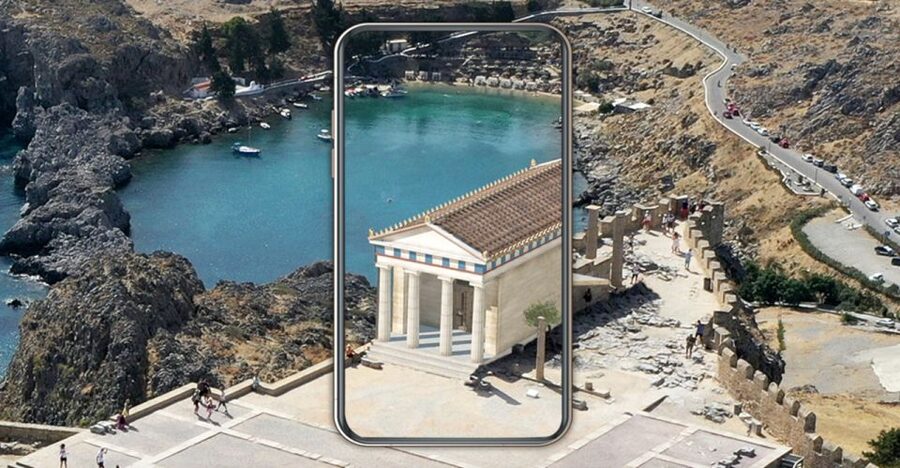
- Monuments identified with an integrated map, so you know what you’re looking at instead of guessing.
- Audio and written info for 20 monuments, with matching stops built into the route.
- AR and 3D models for 15 monuments, plus panoramic views from 15 points to connect ruins to the bigger picture.
- Videos for 8 monuments, which help when the remains are hard to interpret at a glance.
- Stories that connect Athena’s cult with the Order of St. John, and also reference Roman emperors Tiberius and Diocletian and their links to Rhodes.
- Audio in 8 languages, including English, Greek, Spanish, Italian, French, German, Dutch, and Chinese.
Other ways up the Acropolis, side by side


Lindos Acropolis and the Temple of Athena: what you’re really seeing

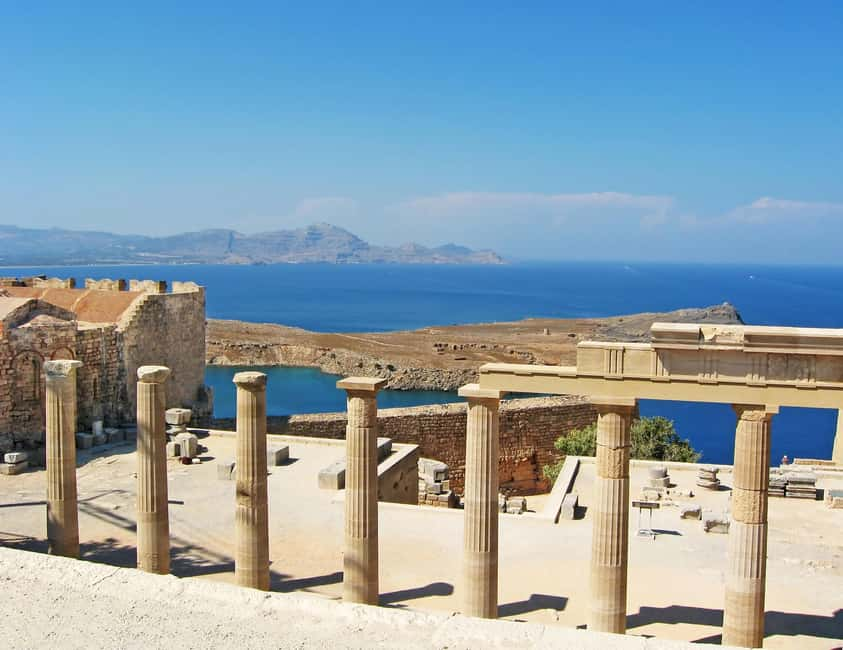
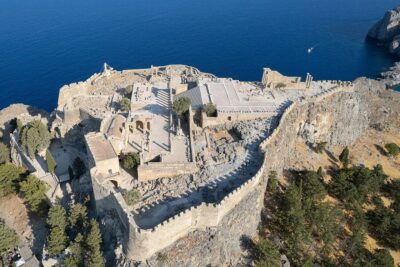
Lindos Acropolis is famous because it was important for a long time. You’re going to an ancient sanctuary on Rhodes, tied to Athena, and the tour focuses on the 3rd century BC setting you’ll want to understand as you look around.
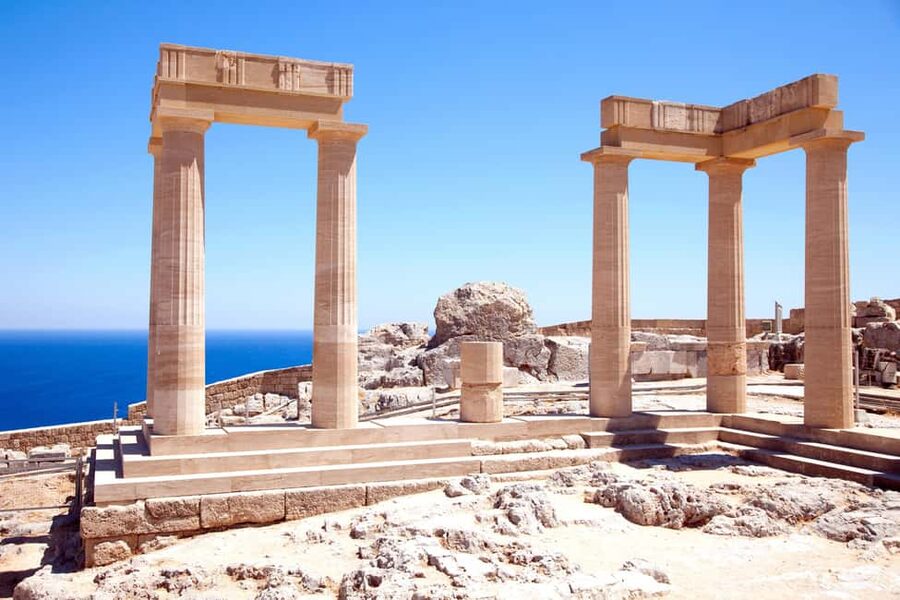
The main idea is simple: you’re not just staring at scattered ruins. You’re walking through one of the oldest places of worship in ancient Greece, and the app is built to help you recognize key parts of the Temple of Athena and a wider pan-Hellenic shrine connected to the goddess’s cult. That matters because Lindos can look confusing if you only see broken columns and foundations. With the audio running, those pieces start to behave like a real religious space again.
The tour is also designed to show what a typical Hellenistic-period sanctuary looked like. That’s useful because the Lindos Acropolis wasn’t frozen in time, and you’ll often notice mismatched elements. The guide material helps you interpret ruins in their proper context, instead of treating everything as random rock piles.
You’ll also get a chance to place Athena’s worship in a larger story that includes later historical layers tied to Rhodes, including references to the Knights of the Order of St. John. It’s not just ancient Greece in isolation, it’s ancient Greece followed by centuries of meaning.
Getting to Lindos Acropolis: the walk matters more than you think
Your self-guided tour starts at Lindos Acropolis. The practical detail is how you get there, because your phone tour only works if you arrive with time, light, and a charged battery.
The easiest route is by bus to the archaeological area. From there, plan on about a 15-minute walk to reach the Lindos Archaeological site. That walk is your warm-up, and it’s also when you should set up your phone before you get distracted by views and photos.
Bring the basics that the tour also calls out: comfortable shoes, water, a sun hat, and headphones. The headphones point is not optional, because the experience is built around audio narration for monuments. If you’re relying on phone speaker audio, you’ll miss too much, especially with wind and crowds.
A charged smartphone is essential. You’re using your phone for the audio guide and for the 3D and AR features, so low battery is not a minor annoyance here. It’s the difference between a full tour and a half-informed wander.
Setting up your phone for AR, 3D, and audio (so it doesn’t flop)

This is a phone-first guide, so set yourself up like a smart scout, not a hopeful tourist. Internet access is required to use the tours effectively. The best move is downloading the tour content while you’re on Wi-Fi before you visit, unless you have enough mobile data.
You’ll also need about 200MB of storage space on your device. That’s a real constraint if your phone is already tight on room, so check storage before the day you plan to go. The app requires iOS 11.0 or later, or Android 5.1 or later, so it’s compatible with older but not ancient phones.
Once downloaded, you can use the self-guided tour anywhere and anytime, before, during, or after your visit. That flexibility is great if you want to preview what’s coming, or if you need to pause for heat or breaks.
A helpful trick: charge your phone to full and consider turning on power-saving mode if your battery tends to drain fast. Keep your headphones ready. Then, open the app before you reach the first monument so you’re not hunting for signals while standing in full sun.
How the audio guide turns the site into a route you can follow
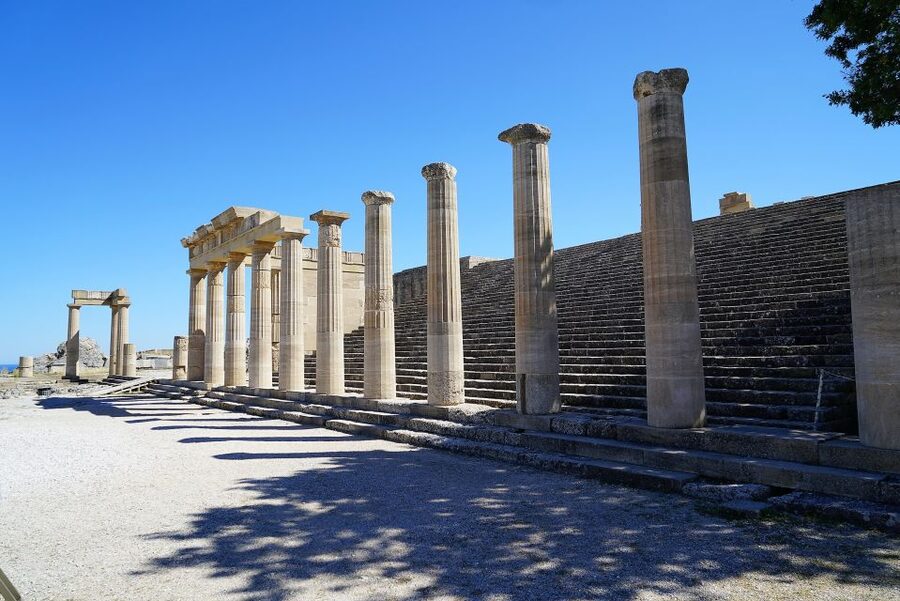
The tour is structured so you don’t just roam. It includes monument identification with an integrated map, and then delivers content tied to specific stops. You get written information for 20 monuments and audio information for the same 20.
That matters because Lindos Acropolis does not behave like a clean museum circuit. At street level, you’ll often see only partial sections of what you want to understand. With this format, the guide helps you locate the right spot, then explains what you’re looking at.
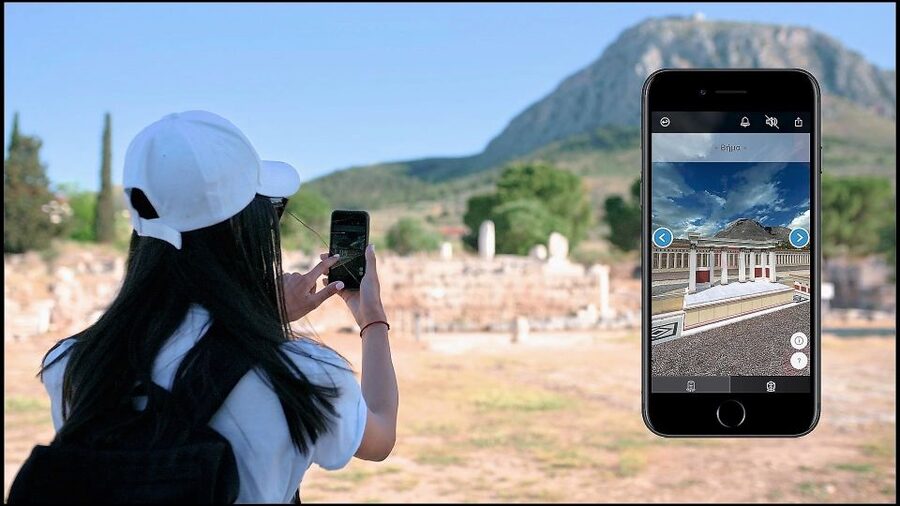
The tour also provides 3D models for 15 monuments and panoramic views from 15 monuments. In plain terms: when ruins are hard to visualize in the moment, you can use the phone to reconstruct and compare. That’s especially helpful for understanding layout and scale, because the app can show angles and perspectives you’d never guess from one walking position.
You also get immersive videos for 8 monuments. Videos are the right tool for parts of a sanctuary that are easier to grasp when you see them explained from multiple viewpoints. That keeps you from overthinking every stone.
Finally, there are related stories for 7 monuments. These are where the tour stops being only archaeology and starts becoming a history narrative, including connections to later Rhodes and the knights associated with the Order of St. John.
What you’ll see at the Temple of Athena, and how to interpret it
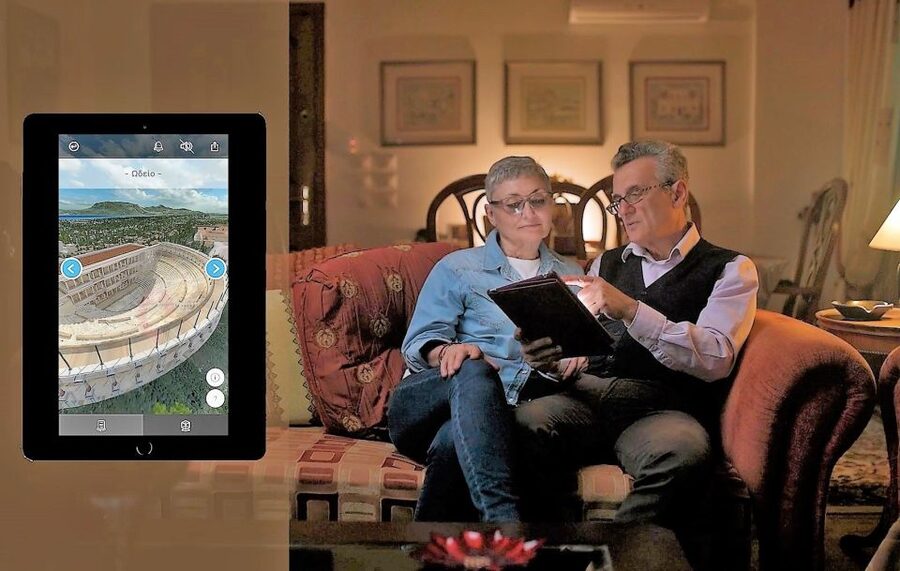
At the center of this experience is the Temple of Athena in Lindos. The tour’s goal is to help you explore the most important parts come alive on your phone screen, so you can match today’s remains to what the sanctuary would have looked like in use.
Here’s how to use that effectively. First, look at a monument from your feet-level perspective. Then, when the AR or 3D model content is available for that specific stop, use your phone to compare. You’re training your eye to see what’s missing and how the structure likely fit together.
Because you get 3D models and panoramic views tied to 15 monuments, you can also do a reality check. If a reconstruction looks confusing, step back and use a panoramic view to understand orientation. Then listen to the audio explanation before you move to the next spot.
You’ll likely notice that the sanctuary is described as a regional center of Athena’s cult with pan-Hellenic significance. That’s not just trivia. It explains why certain features were worth building and maintaining, and why the site mattered beyond one small local community.
The app also aims to show you what a typical religious sanctuary from the Hellenistic period looked like. That helps you interpret the remains as part of a broader religious and cultural system, not just an isolated temple.
And if you like history connections, the tour goes beyond the ancient period with links to later Rhodes. It even covers how Athena’s story connects with the Knights of the Order of St. John, plus references to emperors Tiberius and Diocletian in relation to Rhodes.
Other stops down the east coast to Lindos
- Rhodes: Lindos Cruise with 2 Swim Stops★ 4.6 · 1,404 reviews
- Lindos,Pefkos: All inclusive Swim & Snorkel Boat Cruise★ 4.8 · 730 reviews
- From Rhodes: Lindos and 7 Springs Valley Bus Tour★ 4.3 · 393 reviews
- From Lindos: Rhodes Old Town and Speedboat Trip to Symi★ 4.4 · 336 reviews
AR and panoramic views: a practical way to read ruins without faking it
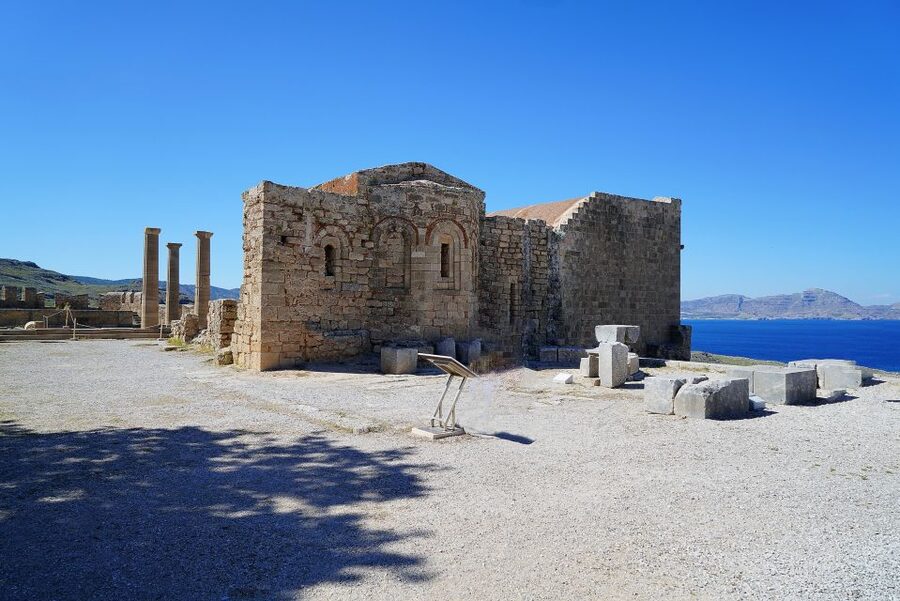
Let’s be honest: most people stand in front of ruins and try to guess. This tour reduces the guessing game.
When AR and 3D features are active, you can see temple ruins come alive on your phone screen. That makes the structure more understandable in context, especially for columns, foundations, and areas where the ground plan matters more than what’s left standing.
Panoramic views from 15 monuments also do an important job: they help you stop treating the acropolis like a flat platform. From different spots, you get different lines of sight and the sense of how the sanctuary would have faced the surrounding world.
Then you add video support for 8 monuments, which is ideal for moments where a static explanation just won’t click. You can watch, understand the relationship between parts, and then return to looking at the real stones with new eyes.
My practical advice: use your phone in short bursts. Don’t stare at screens the whole time. Look first, then use AR or 3D when you’re actively confused, and then listen to the audio while you’re still physically at the relevant spot.
That keeps your attention on the site, and the phone becomes a tool rather than a distraction.
History threads you get for free: Athena, the Knights, and Roman emperors
One of the strongest advantages here is that the story does not stay in 3rd century BC only. The tour includes related background tied to Athena and to later Rhodes.
You learn how Athena is connected with the Knights of the Order of St. John. That theme matters because Rhodes later became closely associated with that order, and you’ll see their influence elsewhere on the island. Having that connection explained while you’re at Lindos helps you understand why later groups cared about ancient symbols and sacred places.
The tour also references the relationship between emperors Tiberius and Diocletian and the island of Rhodes. You may not walk away with a full Roman textbook, but you will leave with a clearer sense that Rhodes was plugged into major historical currents.
These story segments are delivered as part of the monuments experience, through written and audio content. There are 68 written and audio information pieces about ancient Greece in total, plus additional content for monument-related stories. It’s enough background to make the site feel connected, without turning your afternoon into a lecture.
If you like short, targeted context while you’re still standing in front of the structure, you’ll appreciate how the app times information to your route.
Timing, comfort, and what to do when the sun gets loud
The tour is self-guided, so you’re not locked into a group schedule. You have 5 days of validity from the first activation, and you can use it before, during, or after your visit, which gives you room to spread things out if heat and crowds are an issue.
Still, plan a realistic visit. Wear comfortable shoes because you’ll be walking and climbing around an archaeological site. Bring water and a sun hat. The acropolis area can feel exposed, and your best learning will happen when you’re not rushing.
Also plan for phone behavior. AR and 3D can be more demanding on battery and performance, and videos can use data if something isn’t fully downloaded. That’s why downloading on Wi-Fi beforehand is so important.
If you get tired, use the route logic. The guide is built around monuments, so you can stop at a point, run the audio, use any 3D model available there, and then rest. There’s no need to keep pushing through confusion.
Price and value: why $7.89 can be a smart spend here
At $7.89 per person, this is a low-cost add-on if you’re planning to spend time at Lindos Acropolis anyway. The key point is what you get access to: audio guide content for 20 monuments, written explanations for those 20, and deeper visual material for many of the stops.
You’re not only paying for narration. You’re paying for monument identification with an integrated map, plus:
- 3D models and panoramic views for 15 monuments
- Videos for 8 monuments
- Related stories for 7 monuments
- A large pool of written and audio information about ancient Greece (68 pieces)
Tickets to the Lindos Acropolis entrance are not included, so treat the $7.89 as the guide layer, not the entry fee. Once you accept that, the value makes sense. A live guide can be wonderful, but it’s often much pricier and less flexible. Here, you set the pace and you can revisit details later.
This works especially well if you like understanding what you’re looking at without waiting for a tour group. If you hate feeling rushed, this type of guide is a good match.
Should you book this Lindos Acropolis audio tour?
I’d book it if you want the Temple of Athena story to click while you’re still on the acropolis. The standout features for me are the monument-by-monument audio and the AR/3D tools that help you interpret ruins on your terms.
Skip it or think twice if you’re traveling with a phone that barely has storage, or you don’t want to deal with downloading content and charging your device. The tour depends on your smartphone and headphones, and internet helps you get the best experience.
If you’re the kind of traveler who likes a self-guided route with solid structure and extra historical context tied to specific places, this is an easy yes.
FAQ
What does the Lindos Acropolis 3D Representation and Audio Self-Guided Tour include?
It includes a mobile app with an audio guide, written information for 20 monuments, audio information for 20 monuments, 3D models for 15 monuments, panoramic views from 15 monuments, immersive videos for 8 monuments, related stories for 7 monuments, and 68 written and audio information items about ancient Greece. It also includes monument identification with an integrated map.
Is the entrance fee to the Lindos Acropolis included?
No. Entrance fee to the Lindos Acropolis is not included.
How much does the tour cost?
The price is $7.89 per person.
How long is the tour access valid?
Access is valid for 5 days from the first activation.
Which languages are available for the audio guide?
The audio guide is available in English, Greek, Spanish, Italian, French, German, Dutch, and Chinese.
Where does the tour start, and how do I get there?
The tour starts at the Lindos Acropolis. The easiest way to reach the site is by bus to the Archaeological site, then a 15-minute walk to Lindos Archaeological site.
Do I need internet on the day of my visit?
Internet access is required to use the tours effectively. It’s recommended you download the tour content while on Wi-Fi before you go unless you have sufficient data.
How much storage does the tour require on my phone?
You need about 200MB of storage space on your phone.
What do I need to bring?
You should bring comfortable shoes, a sun hat, water, headphones, and a charged smartphone.
Can I use the tour before or after my visit?
Yes. The self-guided tour can be used anywhere anytime, before, during, or after your visit.
Every Other Lindos Write-Up




Down the East Coast to Lindos
The Acropolis, Other Ways Up
Everything else we have written up around Lindos






Acropolis & Parthenon Tours, side by side.
 ★ 4.4Athens: Acropolis & up to 5 Archaeological Sites Combo PassFrom $4812,619 reviews
 ★ 4.2Athens: Acropolis Ticket with Optional Audio or Live GuideFrom $4211,055 reviews
 ★ 4.8Athens: Acropolis, Parthenon & Acropolis Museum Guided TourFrom $409,316 reviews
 ★ 4.6Athens: Acropolis and Parthenon Guided Walking TourFrom $385,882 reviews
★ 4.8Athens: Acropolis, Parthenon & Acropolis Museum Guided TourFrom $413,579 reviews
 ★ 4.0Athens: Acropolis Ticket with Audio GuideFrom $473,575 reviews
 ★ 4.7Acropolis: Acropolis and Parthenon Guided Walking TourFrom $363,442 reviews
 ★ 5.0Acropolis monuments & Parthenon Walking Tour with Optional Acropolis MuseumFrom $422,678 reviews